Beyond “it compiles”
It builds. Great.
Now, does it work?
The button under the fold. The empty state nobody tried. Ask Lispa to use your web app in a browser and check the experience behind the code.
From $20/month, with $20 in usage credits. More signup options

 Claude
- Codex
- Grok
- Gemini
- Open models
Your users do not experience a test log.
They open the menu, fill in a form, and try again after an error. A layout can look fine on a laptop and hide the submit button on a phone. Give Lispa the journey to exercise.
“Check the signup flow on desktop and a narrow phone viewport. Try an invalid email, an existing account, and a successful signup using test data. Record any failures.”
- 01Desktop
Form, validation message, and success state.
- 02Mobile
Keyboard focus, menu, and submit visibility.
- 03Evidence
Screenshots and steps for each observed issue.
The browser belongs beside the task.
Follow the application in the Browser panel alongside the conversation. Compare the visible behavior with the agent’s notes, then ask it to check the state that matters next.
Try it with your own task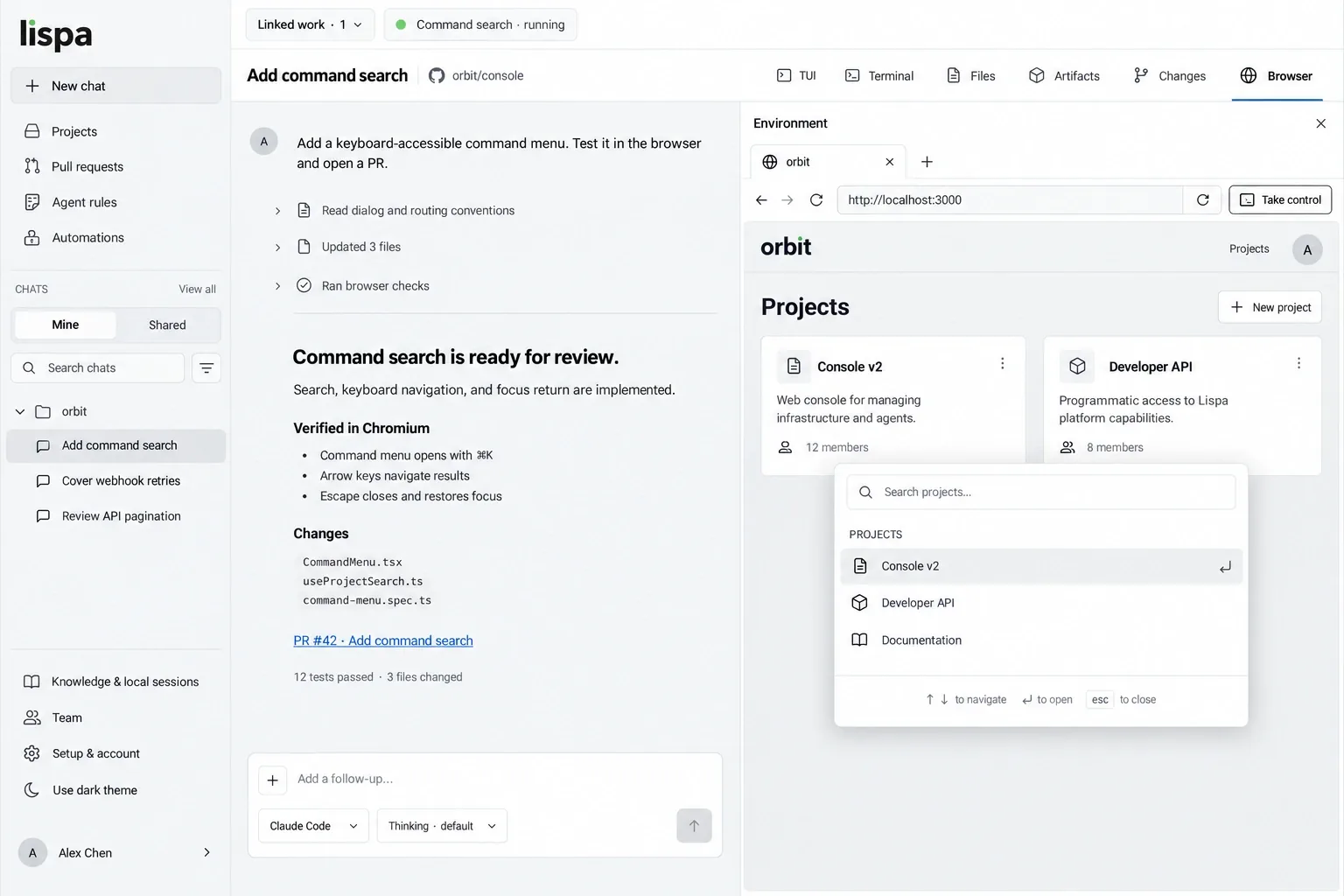
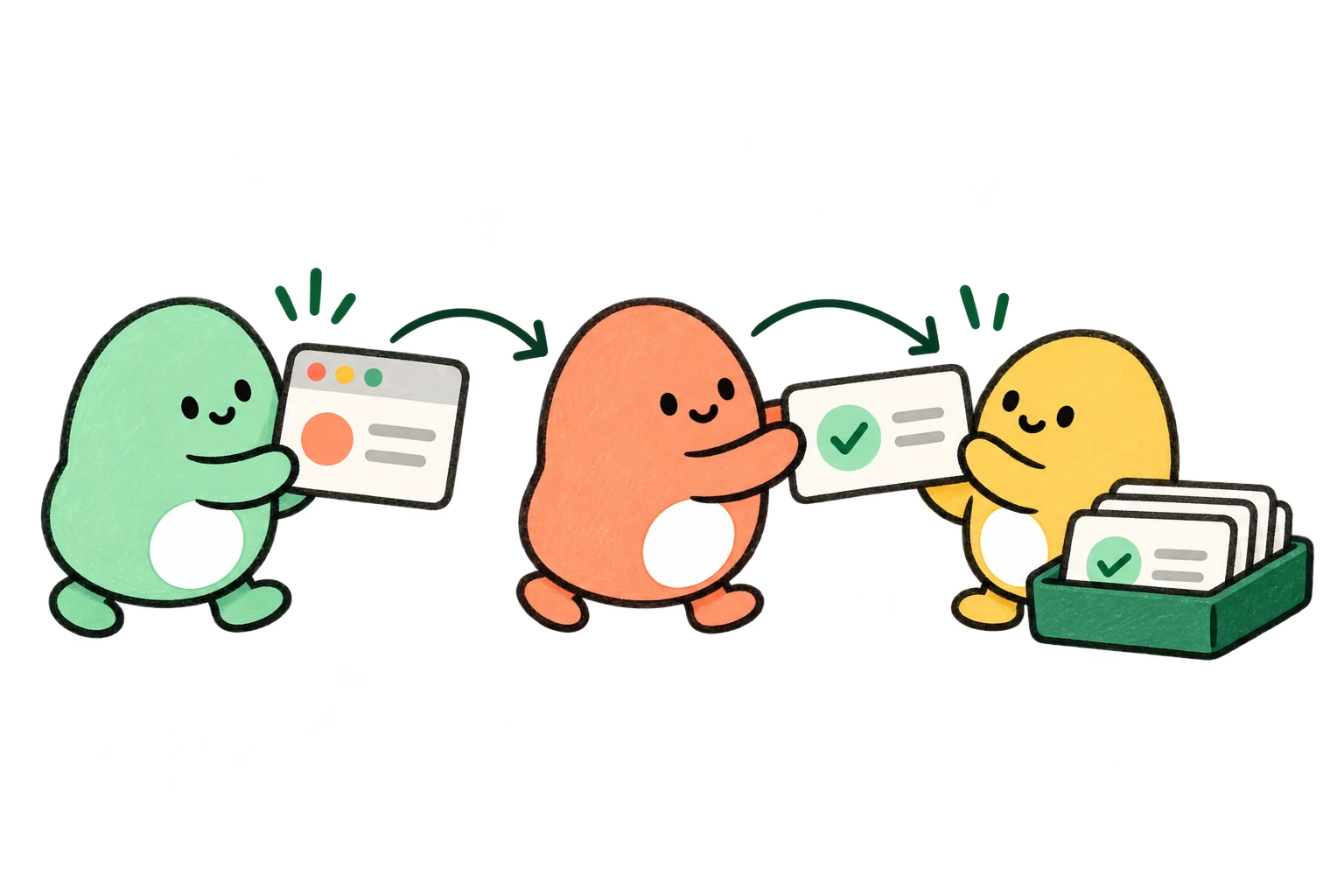
A clear brief.
A result you can check.
- 01
Point to a test environment.
Provide the start command or preview URL, disposable account details, and the flows that matter. Define actions to avoid.
- 02
Exercise the experience.
Ask the agent to use the browser, try error states, and inspect chosen viewport sizes. You can follow the browser beside the chat.
- 03
Make the useful checks repeatable.
Request regression tests in your existing test framework. Review screenshots, results, and any environment limitations.
The work has a home.
From the first brief to the next useful lesson. Take a look around the workspace.
Explore the full illustrated walkthroughKnow what needs your attention.
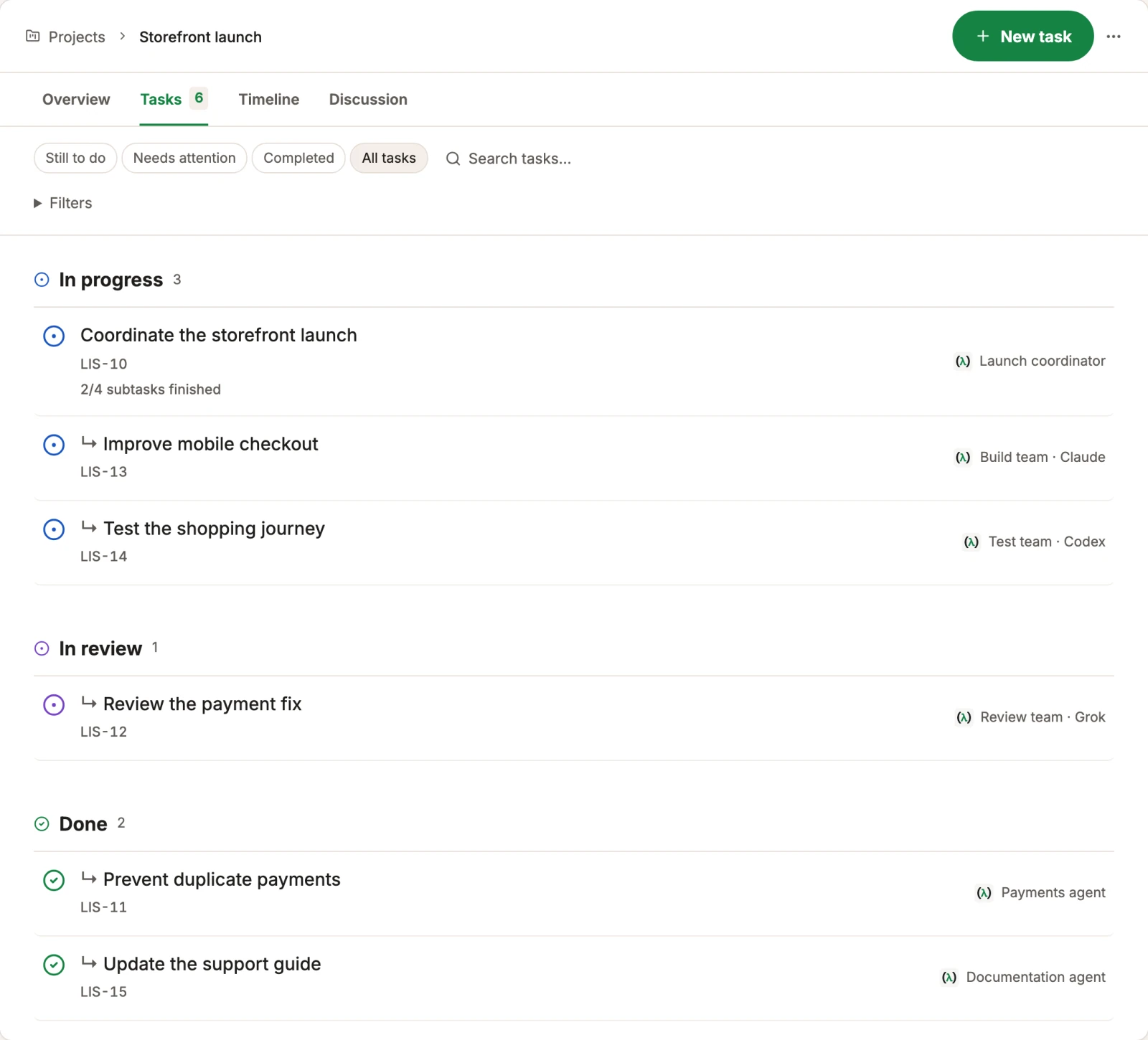
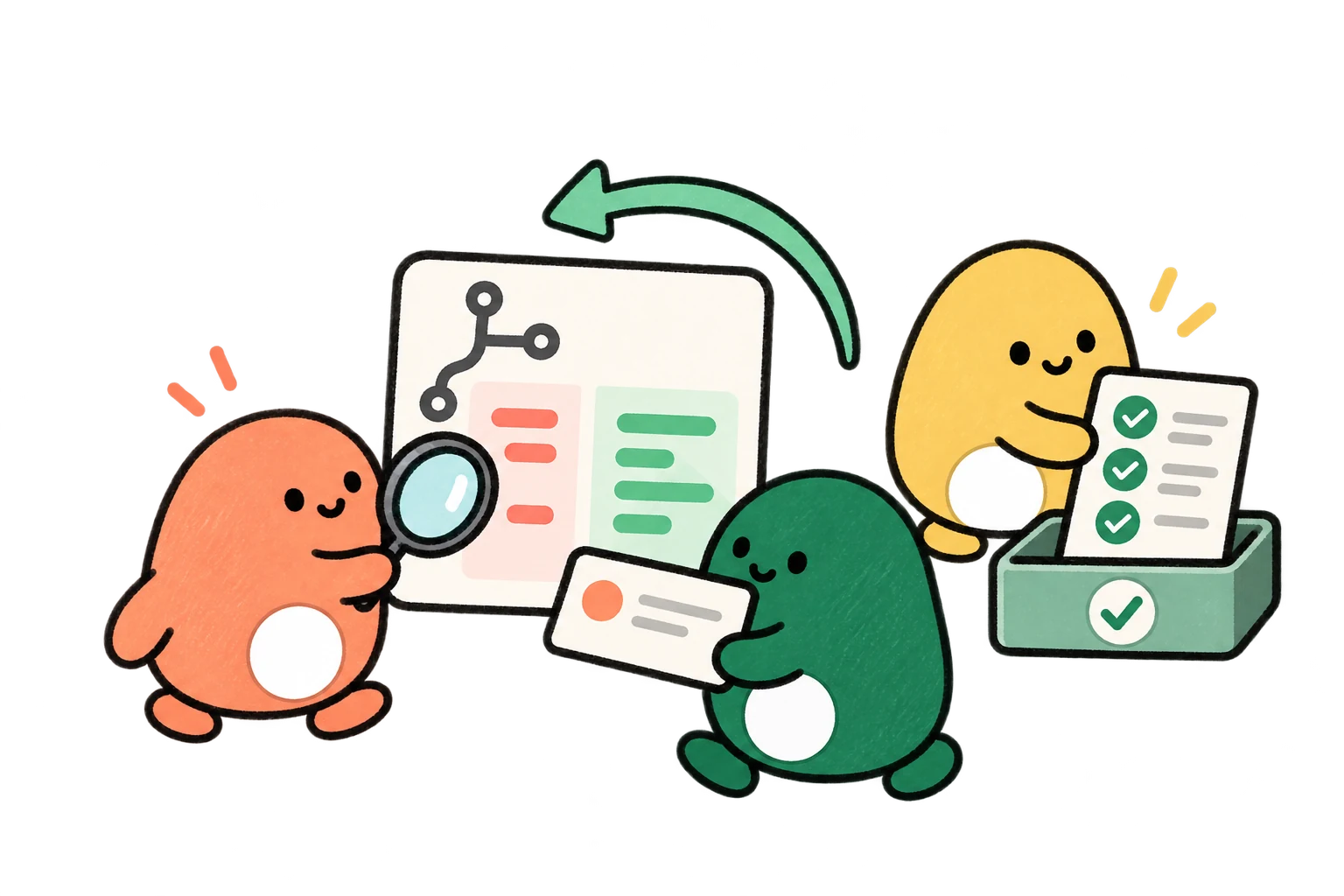
See who is working on each task, which work depends on it, and what is ready for your review. The small pieces stay connected to the goal.
- Claude
- Codex
- Grok
- Gemini
- Open models
Bring the evidence to the review.
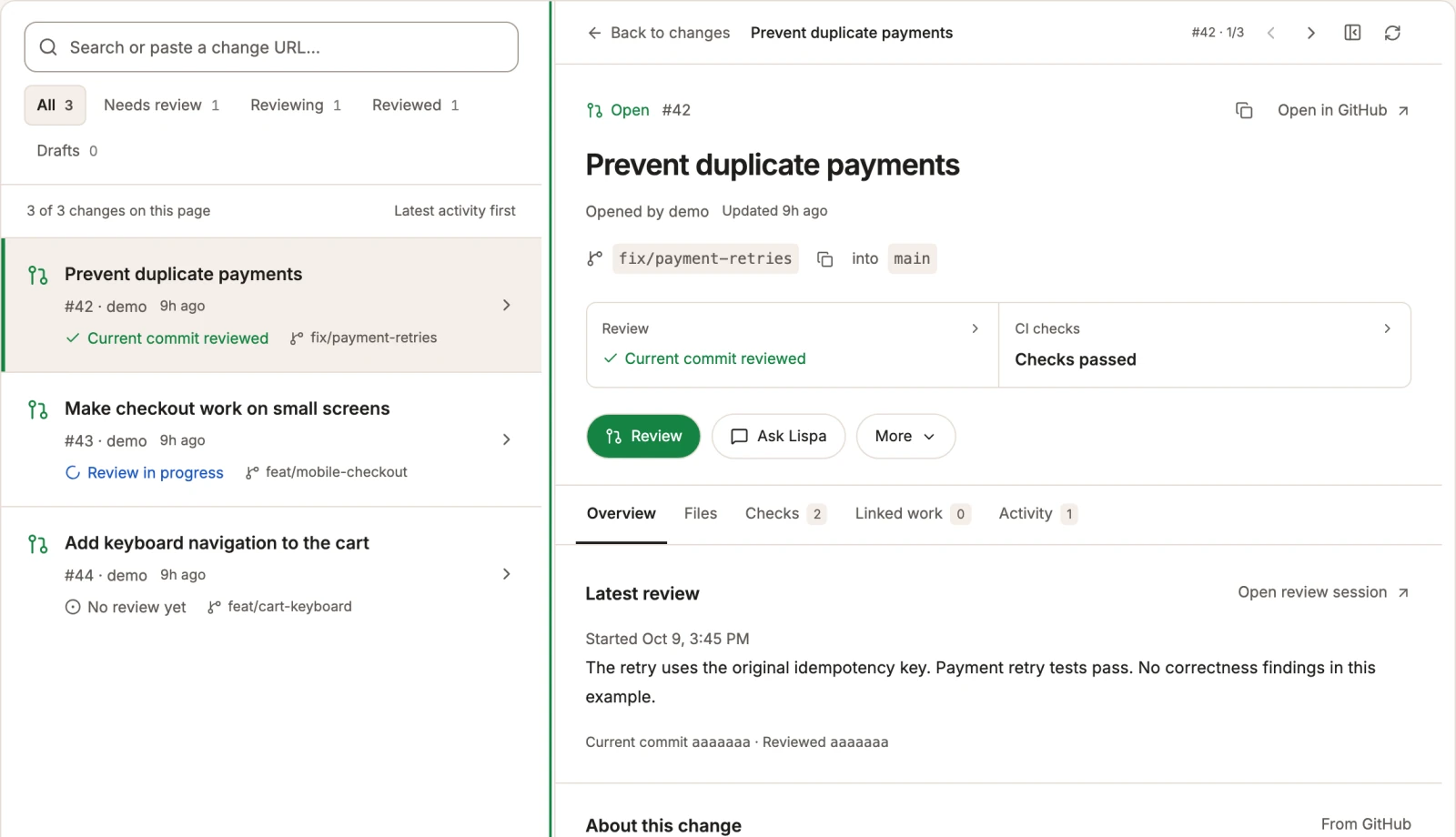
Pull requests, agent reviews, and CI checks share a view. Inspect the current change and its latest review before deciding what should ship.
- Claude
- Codex
- Grok
- Gemini
- Open models
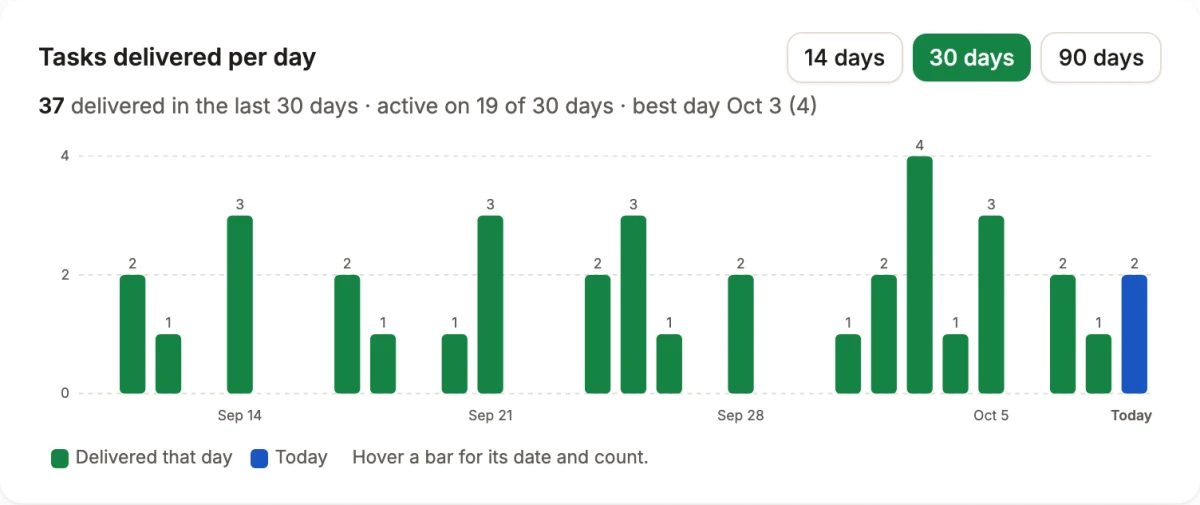
“Improve this. It is not clear.”
That feedback became a focused chart improvement in Lispa: 14, 30, and 90 day views, a labelled count axis, and readable dates. The work also extracted the chart calculations into a separate module.
The change was merged after chart checks and a visual preview covering range selection, hover, and the empty state.
A useful first task,
ready to make yours.
Replace the brackets, paste into a Lispa chat, and keep the scope small enough to review.
- Observed behavior at the requested viewports
- Reproduction steps and visual evidence
- Repeatable tests for the flows you choose
Start [application] using [command] and test [flow] at desktop and phone widths. Use only [test environment and disposable data]. Check success, validation, empty, and error states. Capture screenshots of issues and add regression tests using the existing framework. Report what ran and what was blocked. Do not use real payments, contact customers, or merge.
Start a task in LispaCan Lispa inspect mobile layouts?
Yes. Ask it to check specific browser viewport sizes. This checks responsive web behavior; it is not a substitute for testing on every physical device.
Can it test an app that needs a login?
Provide an accessible test environment and an appropriate test account through your workspace. Use disposable data and make the allowed actions explicit.
Will the screenshots prove every flow works?
No. Screenshots document visible states. Pair them with interaction checks and automated tests for the behaviors that matter. Results depend on the environment and coverage you request.
Can I use my existing model plan?
You can connect a supported Claude or ChatGPT plan, a provider API key, or use Lispa’s models with credits. Provider limits still apply. Cloud machines and Lispa services consume credits even when you bring a plan.
Check the journey before your users do.
Connect your repo. Describe the work.
Come back to a result you can inspect.
Lite starts at $20/month with $20 in usage credits.
Paid plan required to run tasks. Cancel any time.