The teams, together in your project.
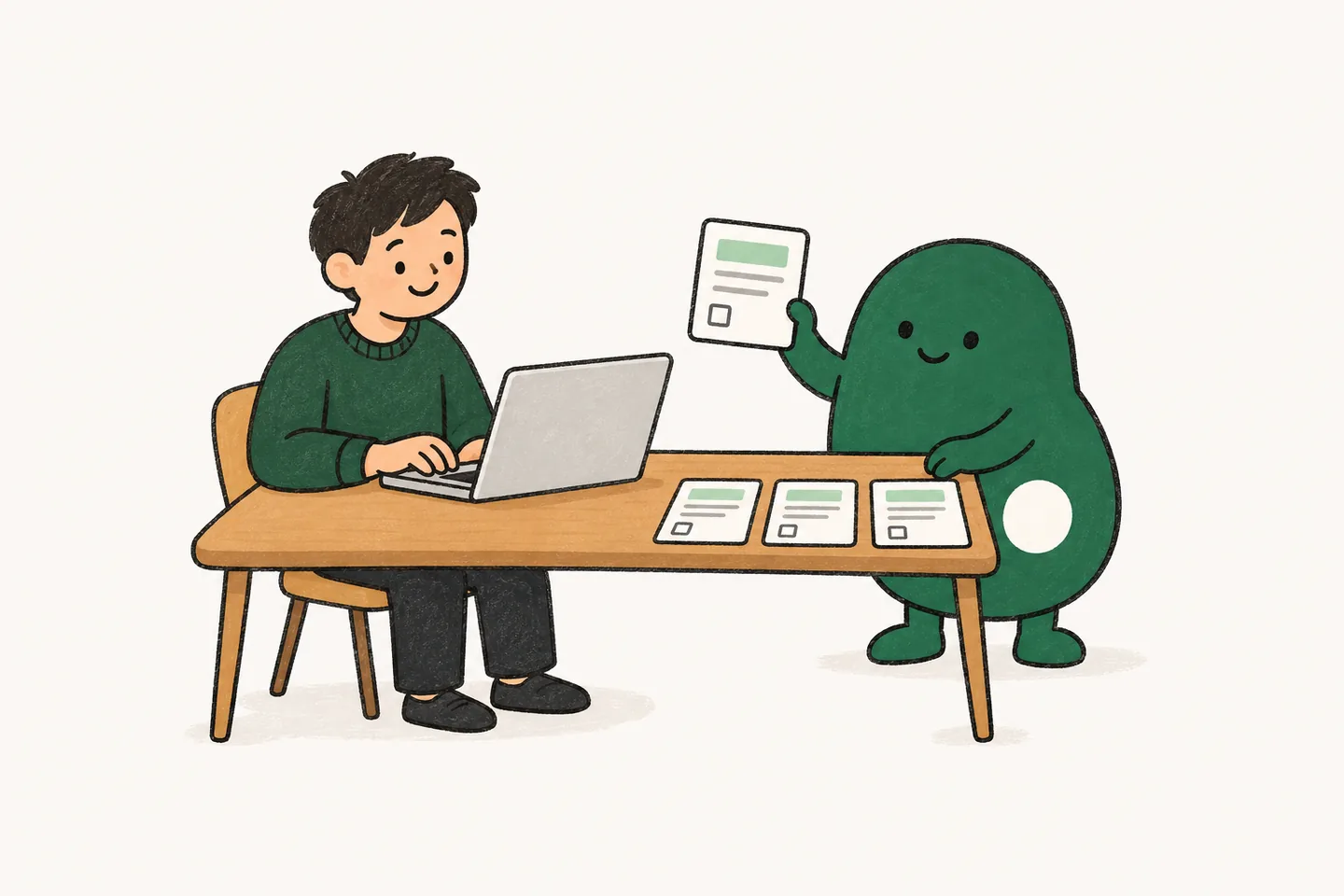
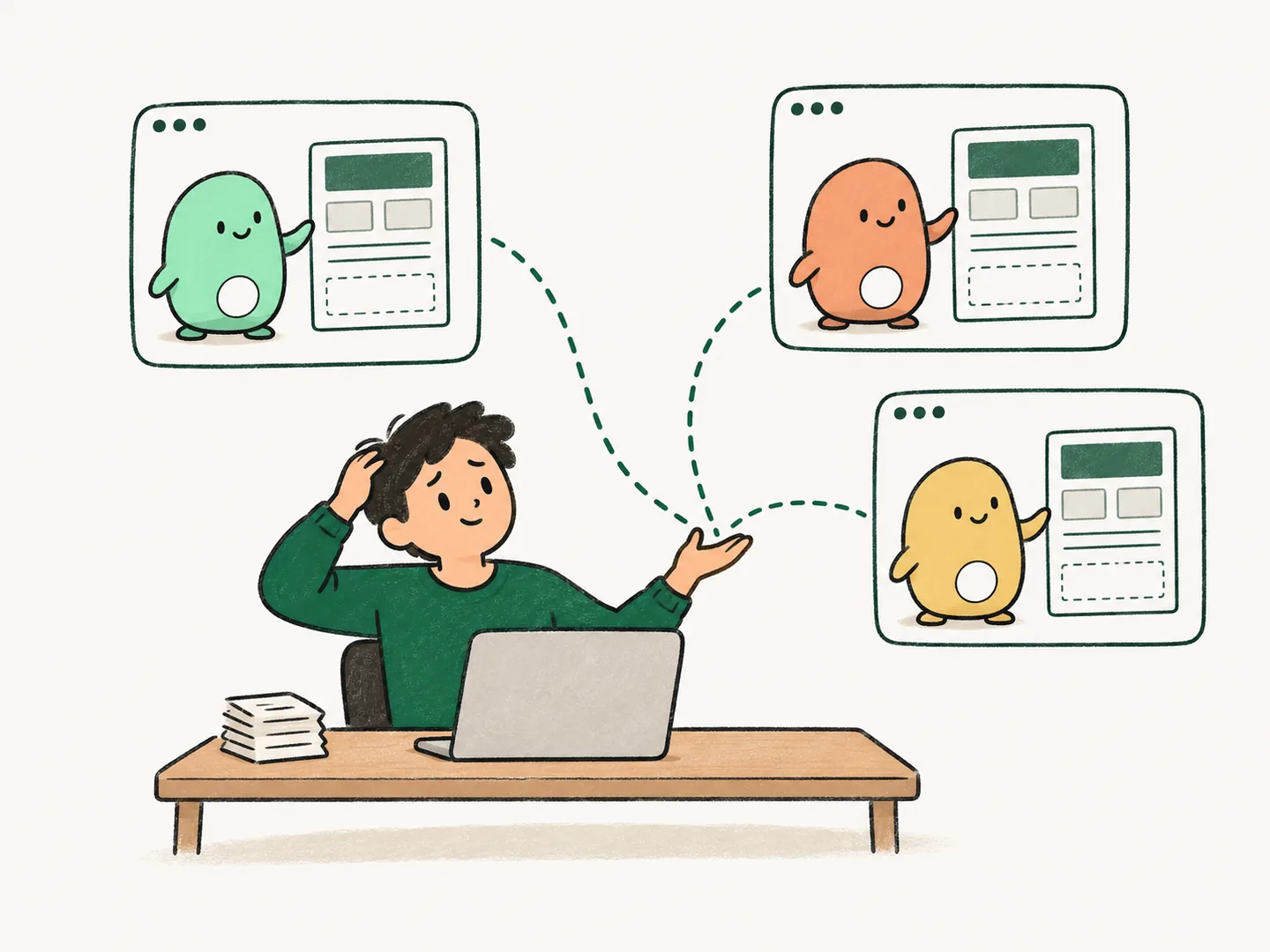
One storefront launch. A coordinator follows the plan while build and test agents work in parallel. The review agent brings completed work back to you.
Cloud AI coding teams for your repository
Lispa is a cloud workspace where teams of AI agents build, test, and review work in your repository. Powerful models take the hard parts, lower-cost models the routine steps. Start with one real task from your backlog.
$20/month includes $20 in usage credits.
Unlimited teammates · Choose a plan after signup · Cancel any time
Need more room? Compare plans.
Bring the models
you already use.
 Claude
 Codex
Codex Grok
Grok Gemini
Real screens from the Lispa console with demo data. Open any of them full size.
Actual Lispa interface · Fictional demo data · Take the full product tour ↓
Give Lispa the outcome you want. Agents work through the pieces and bring back the changes, checks, and context for your review.
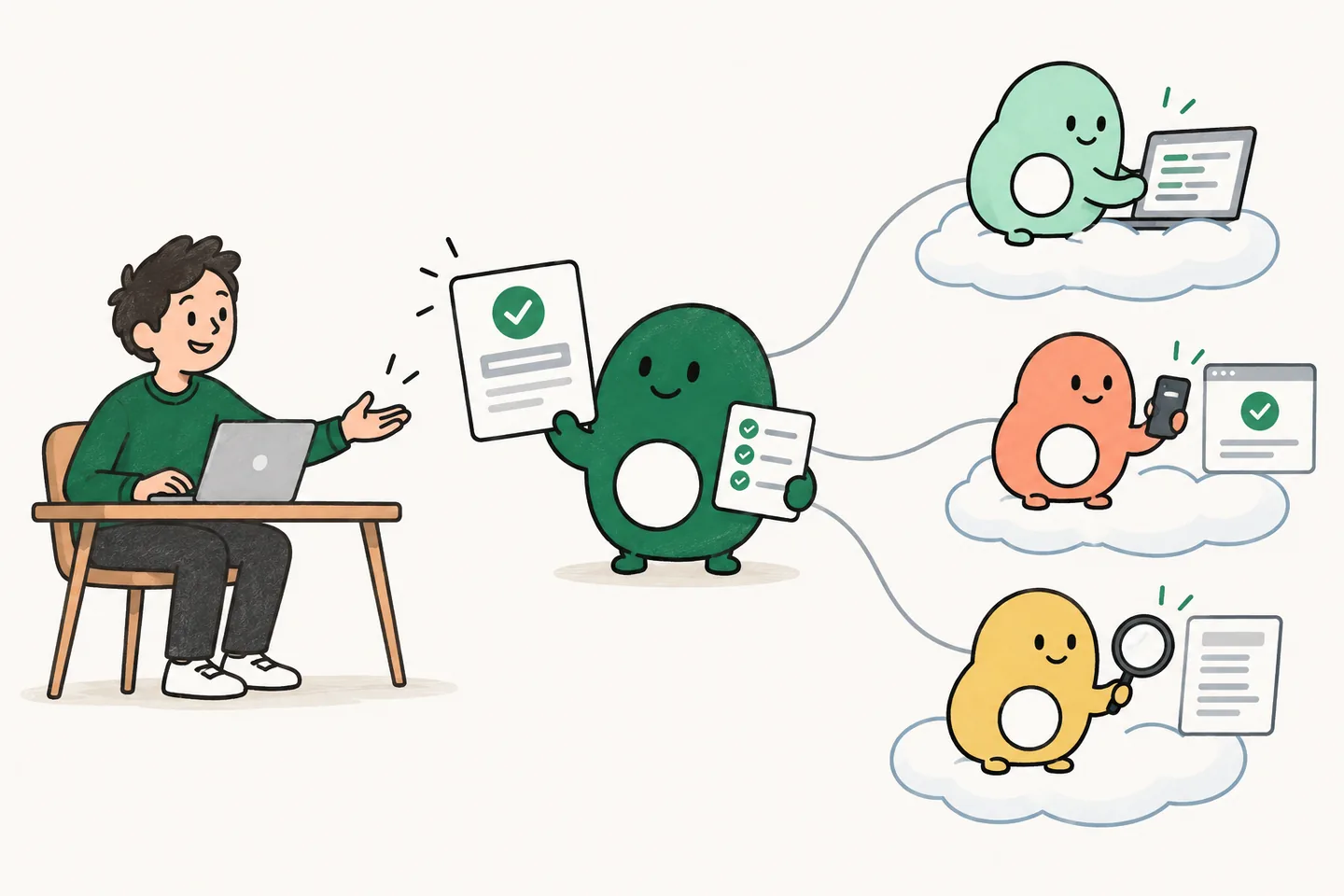
Connect your repository and describe the result you want. Lispa turns the brief into tasks and coordinates the agents.
Enlarge the project screen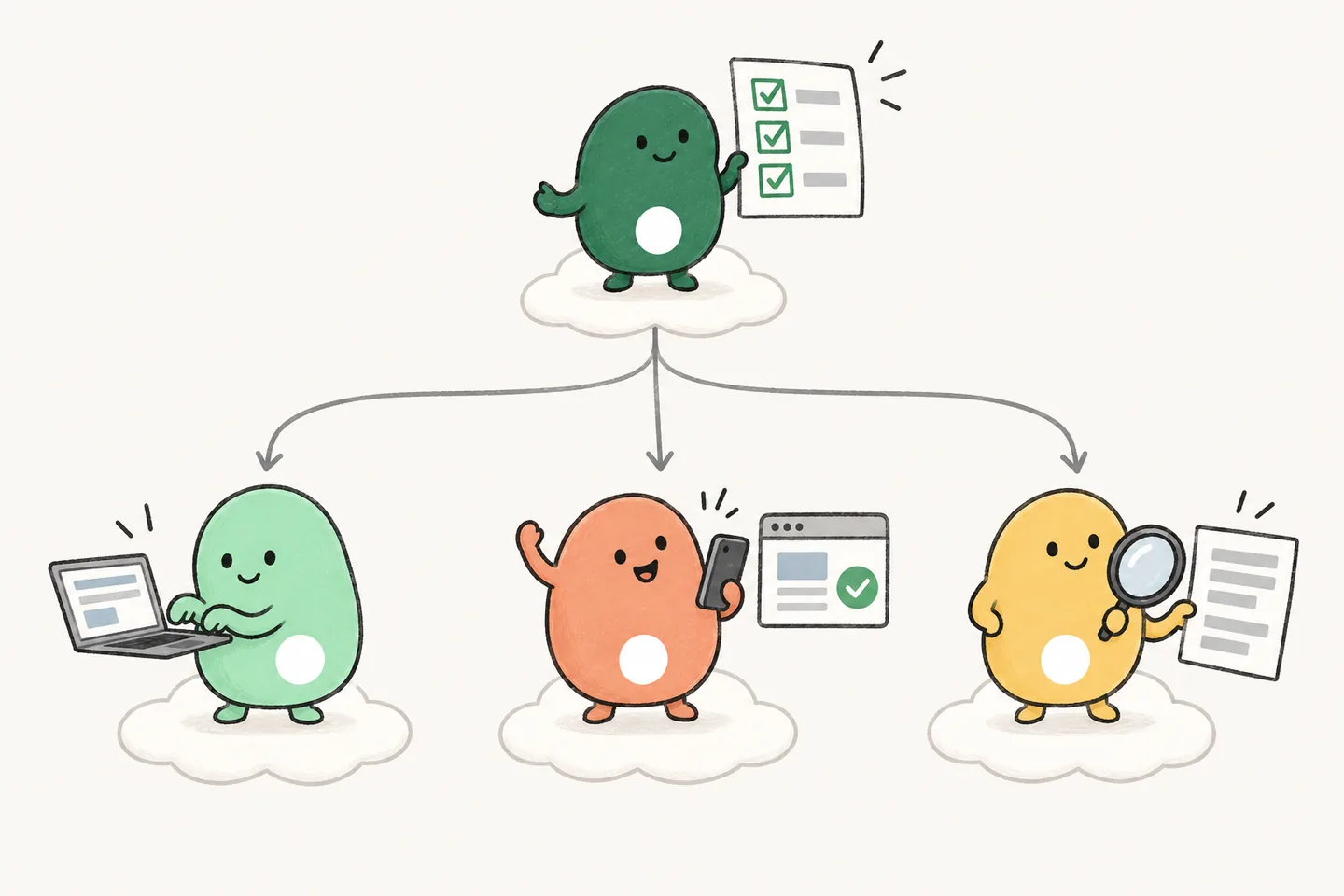
Agents build, test, and review. Independent tasks move forward together in cloud workspaces that keep running when you close your laptop.

Inspect the changes and checks. Ask for a follow-up, request changes, or decide what ships. Your team has the final say.
Enlarge the review screenScreens show the actual Lispa interface with demo data. Provider assignments are illustrative.
One storefront launch. A coordinator follows the plan while build and test agents work in parallel. The review agent brings completed work back to you.
The same project, one step later: review the payment fix and its checks. Accept the delivery or send it back with changes.
Reproduce [bug] on [branch]. Add a regression test, fix the cause, and run the relevant checks. Show the diff and test output. Do not merge.
Add tests for [module], including error cases and edge cases. Run the relevant suite and show which behaviors are now covered. Do not change production code or merge.
Review the diff from [base] to [branch] for correctness bugs. Check each finding against the code, explain the failure case, and suggest a fix. Do not edit or merge.
Replace the brackets with your task, then paste the prompt into your first Lispa chat. Judge the result by the code, checks, and recorded usage. Read the first-task guide and review checklist.
Lite: $20/month, including $20 in usage credits.
Choose your plan after signup, then connect your repo.
This tasks dashboard inside Lispa was built by Lispa agents from a brief like the ones above. The screenshot shows the delivered component with fictional counts: one example of the work an agent brings back for review.
See the feature development workflow →AI can write code. Keeping all the work moving is another job. Give that job a home, too.
Actual Lispa interface · Demo data · View the project screen ↗
The strongest models for hard work. Lower-cost models for routine steps. Lispa can change models as the task changes, keeping the work and context in place.
Choose models yourself, or let Lispa choose for each step.
Savings depend on the work and models used. Fixed subscription prices stay the same. Machines and Lispa services use credits.
$1.45
model calls for nine benchmark tasks
$0.18
model calls for the same nine tasks
88% lower model cost in the routing v5 benchmark, with the same checks passed.
Fix pagination duplicates.
demo/storefront · fix/pagination · same cloud workspaceRoutine stretches use lower-cost open models. The task stays in place.
Illustrative route. Models and switches depend on your connections, settings, and the work.
Give Lispa a separate task while you keep working in your editor. Connect your existing plan with no extra Lispa model-call fee. Your provider’s limits still apply; machines and services use credits.
Let lower-cost open models handle routine stretches in the same task. Keep Claude or Codex available for harder work. Inspect the model use and estimated cost in the chat.
Invite teammates without another seat charge. Share one credit balance for models and machines, and set a credit limit for each member.
Historical internal development benchmark, routing v5: nine tasks, one repeat, Opus as the session model and GLM 5.3 at low effort as the balanced tier. Model costs only; Lispa fees and machines are excluded. This is not a current-product benchmark or a promise about quality, speed, or your total bill. Actual savings depend on the task, selected models, cache use, and connected plans. Your results will vary.
The in-product savings comparison prices the same completed tokens at your default model’s API rates. It does not measure a reduction in your subscription bill.
Start with one task. Review the code, checks, and total usage before taking on more work.
See all charges before you start →From the first brief to the next useful lesson. Take a look around the workspace.
Explore the full illustrated walkthroughKeep the brief, the work in progress, and the results ready for review together. Give direction without starting the explanation again.

 Claude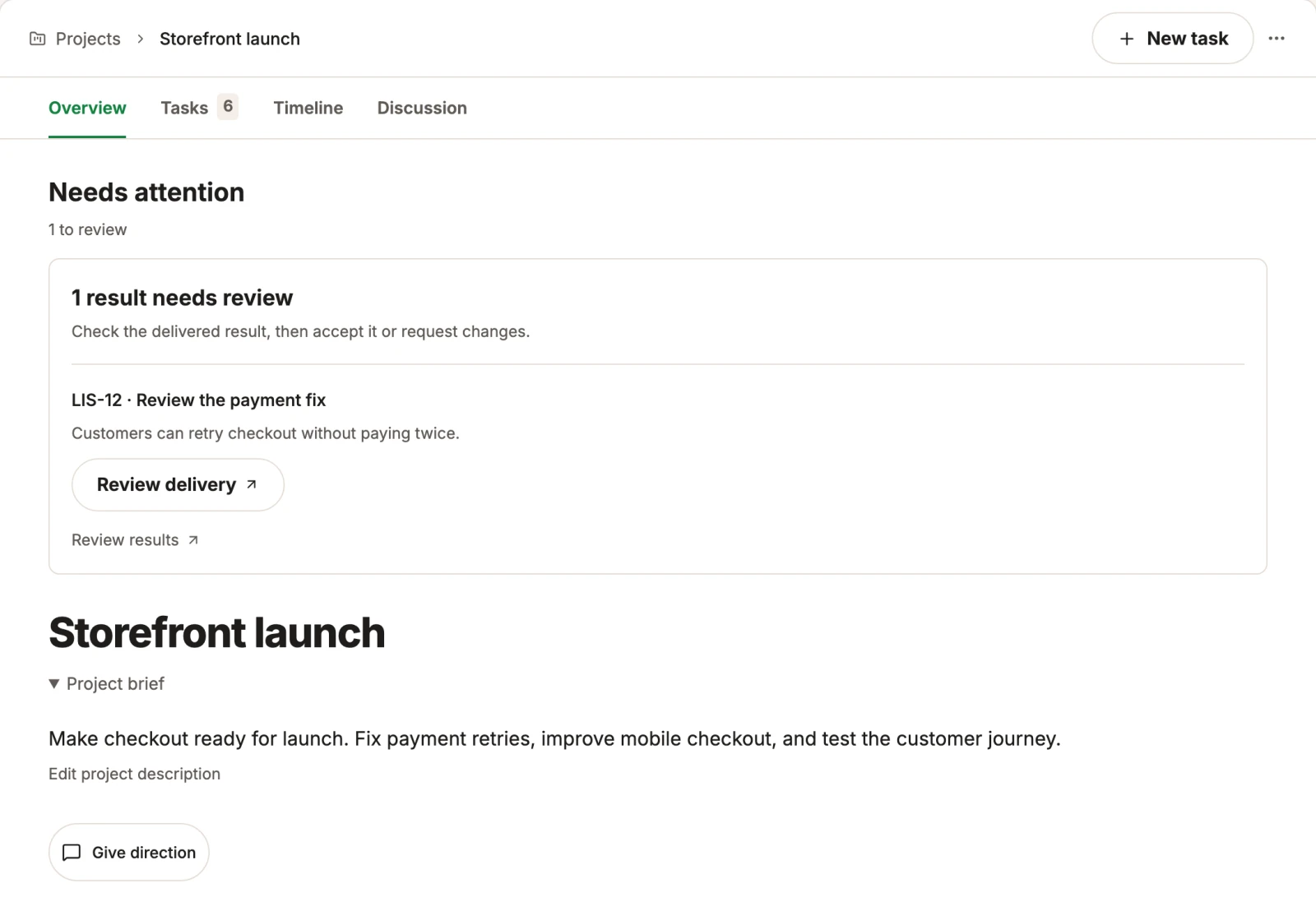
See who is working on each task, which work depends on it, and what is ready for your review. The small pieces stay connected to the goal.
 Claude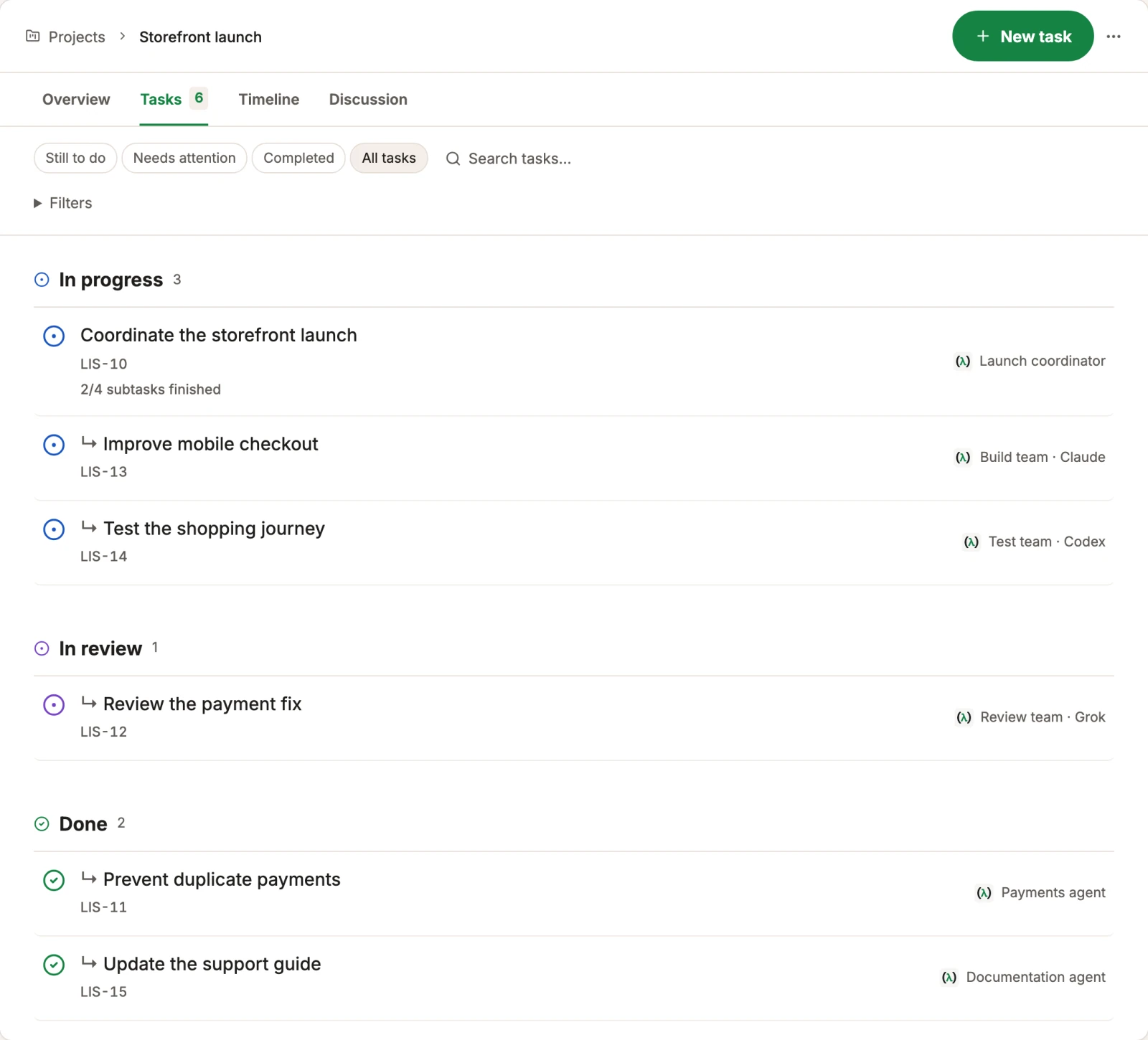
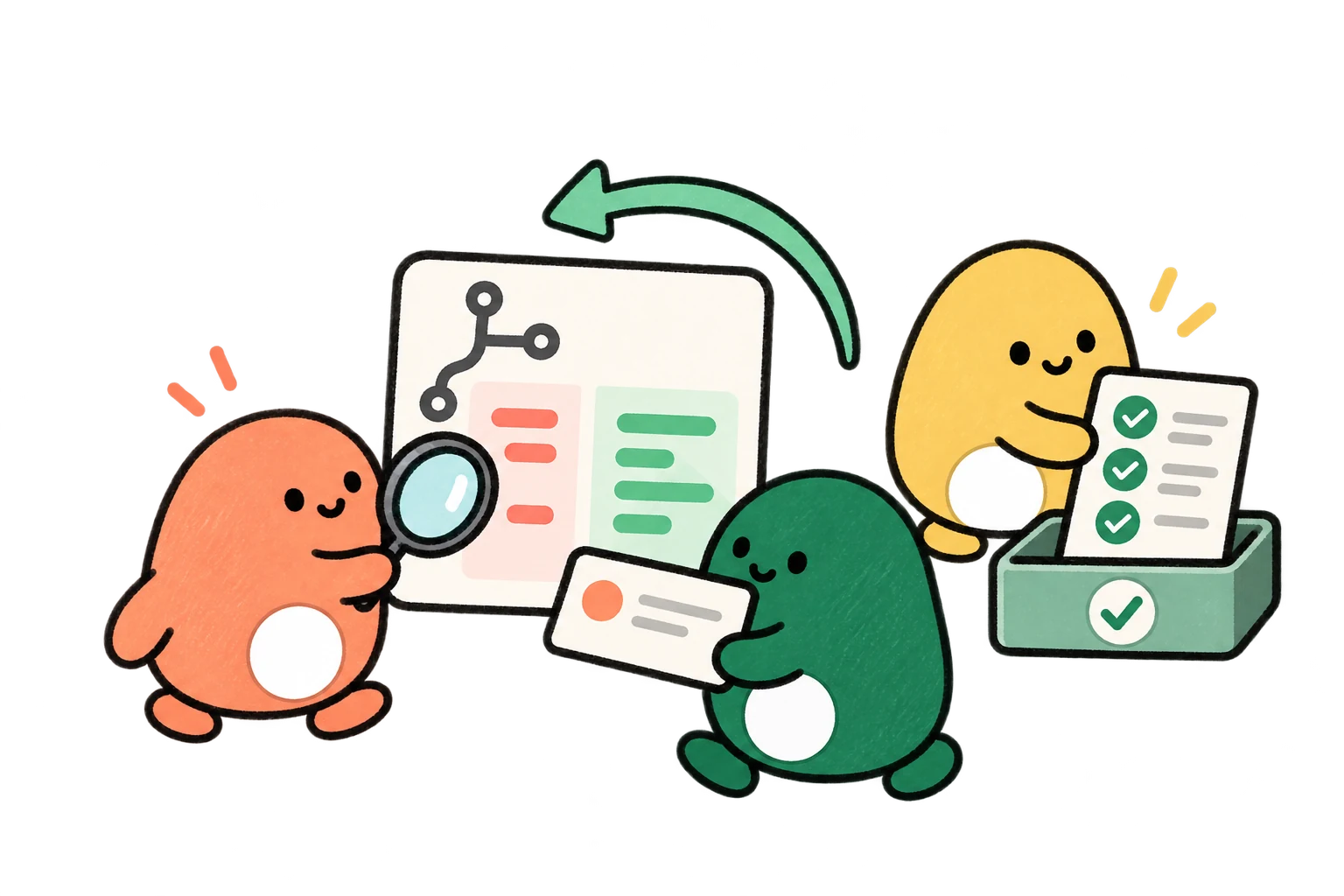
Pull requests, agent reviews, and CI checks share a view. Inspect the current change and its latest review before deciding what should ship.
 Claude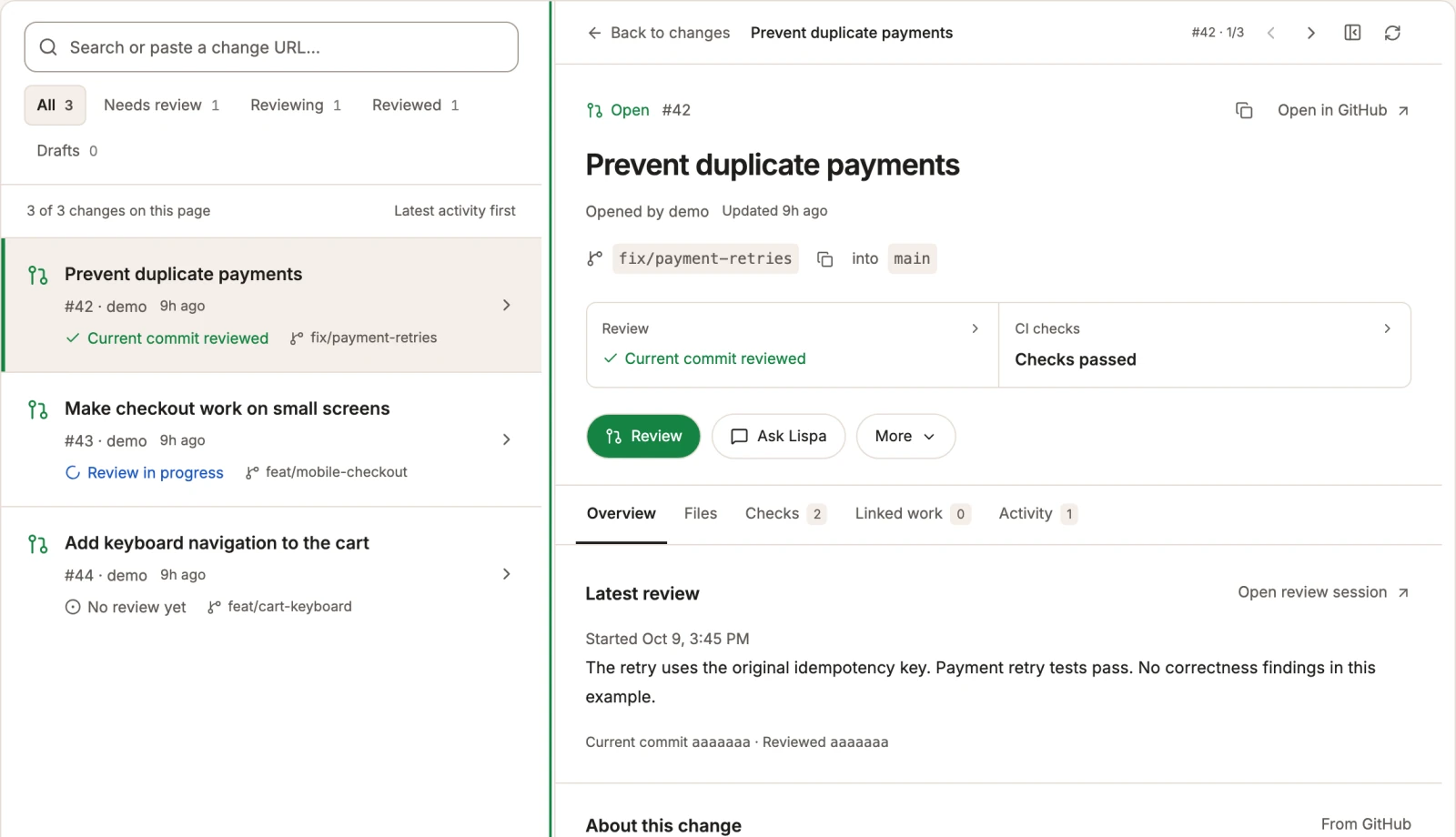
Review a new pull request or run a scheduled maintenance pass. See the instructions, the trigger, and the last run in one place.
 Claude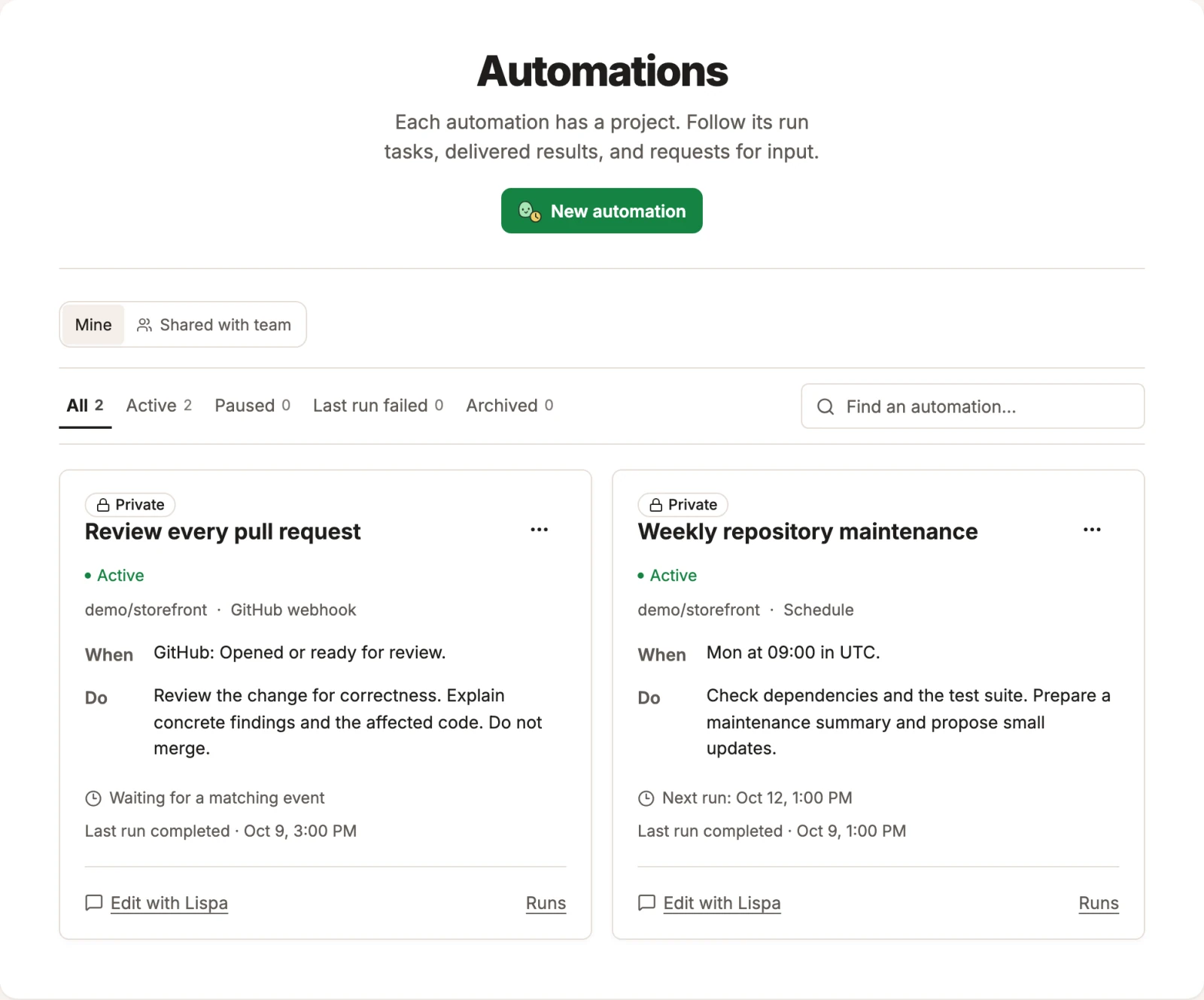
Let Lispa choose model power and reasoning effort for each turn, or keep the model you picked. Change the default or adjust an individual session.
 Claude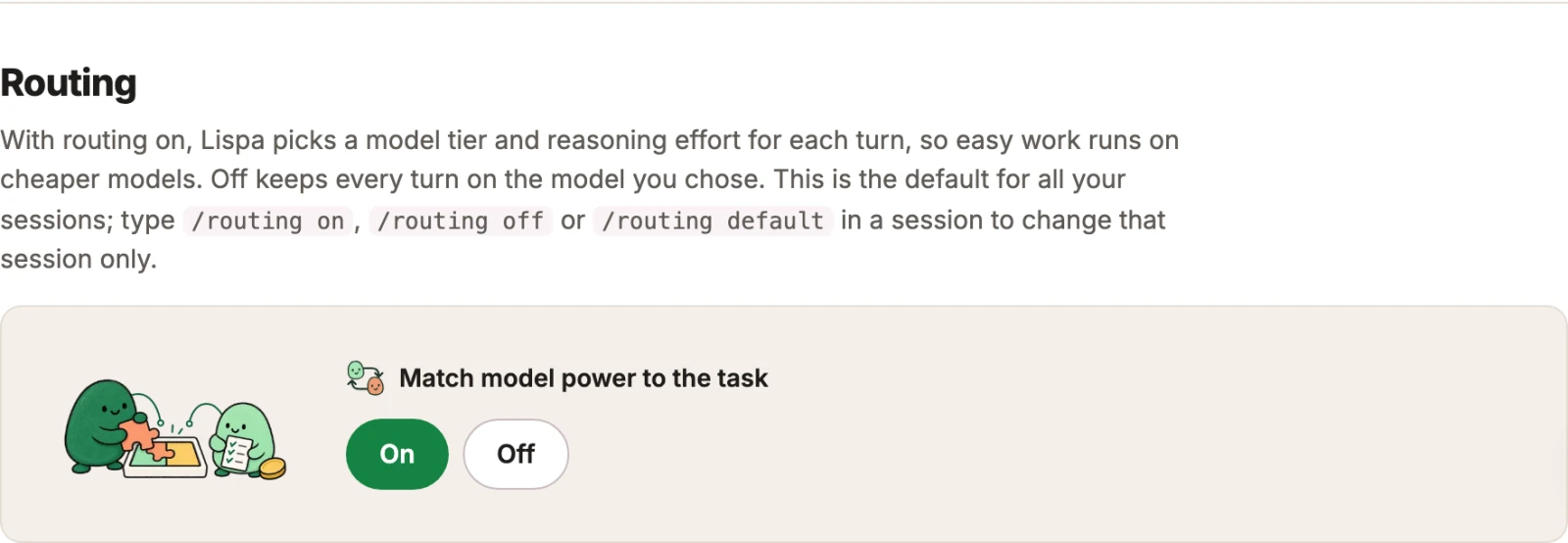
Keep useful facts, lessons, and reusable commands connected. Explore what the brain holds and how knowledge from one task relates to another.
 Claude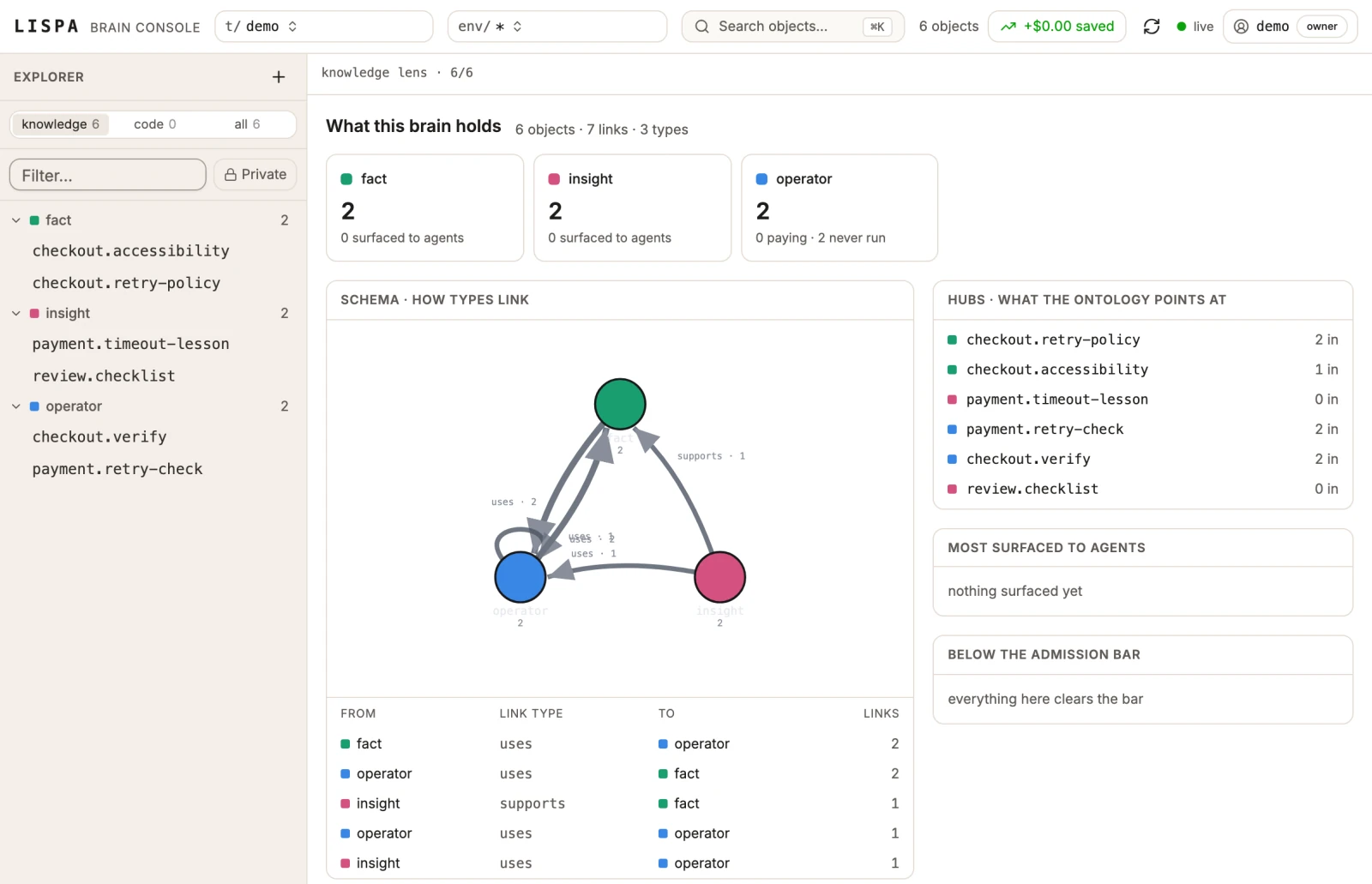
Follow usage over time, session counts, and estimated routing savings. Open the account view to understand the numbers behind the work.
 Claude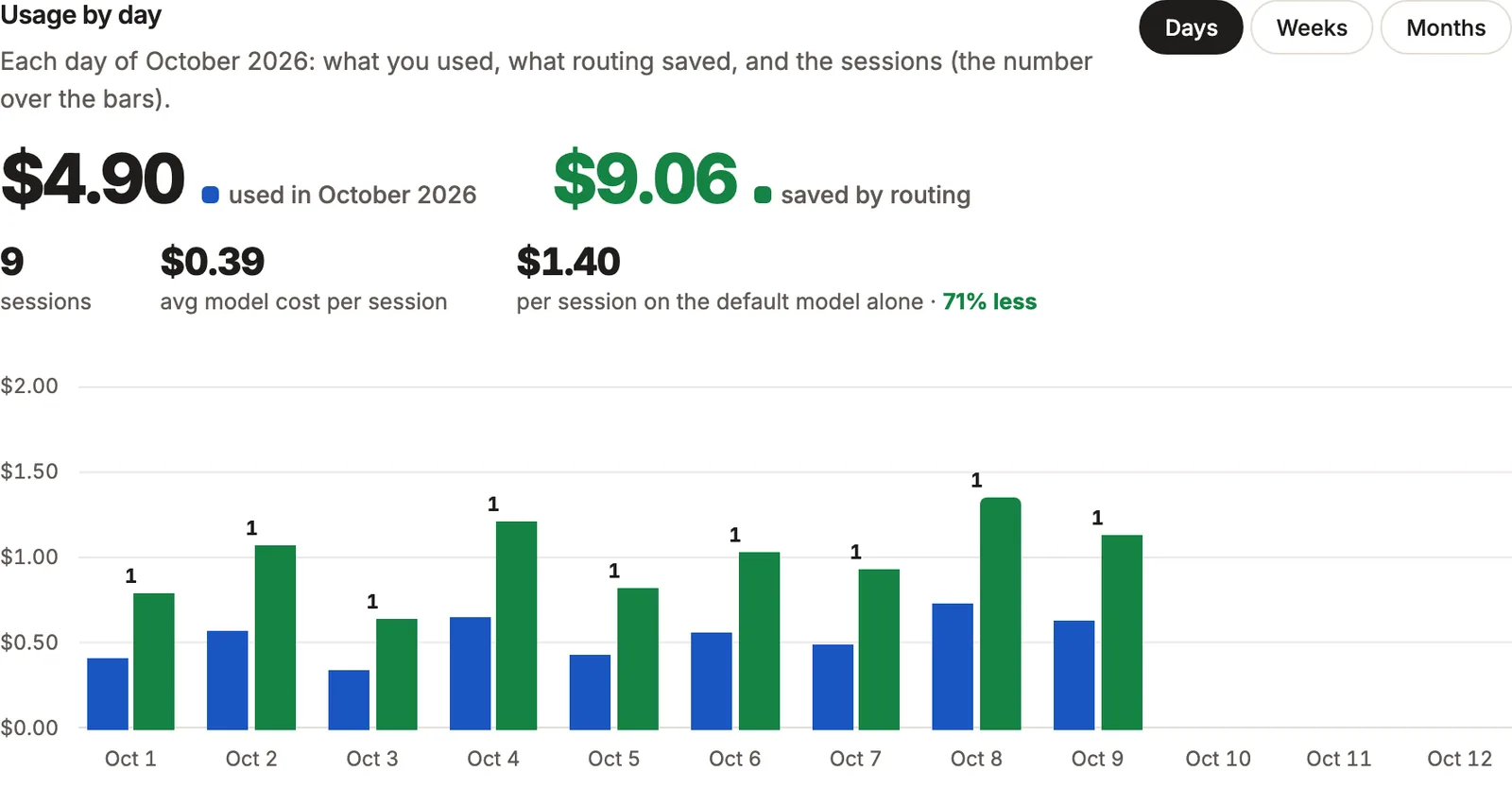
Demo amounts only. Routing savings are API-price estimates, not bills or promised savings.
Each task runs on its own Linux machine with your repository checked out. Stopped machines keep their state for 30 days.
Agents work on branches in worktrees of your repository, and push or open a pull request only when you say so.
Follow the work as it happens: open the terminal, read the files and the diff, or watch the browser the agent is testing in.
Connect your Claude or ChatGPT plan or a provider API key. Model calls on your own plan carry no Lispa model-call fee.
Set a credit limit for each member, see every charge in Usage, and turn routing on or off for any session.
Keep reusable skills with the project. Claude Code and Codex sessions read the same skills, so the know-how is not locked in.
Start with a real task. See the workflow and a prompt you can make your own.
16 industries. 48 starter briefs. Explore the software work Lispa can help your team move forward.
Scroll for more industries · Explore all 16 industries →
Agents create their own reusable language of commands. They save how to solve a problem, so other teams can use it again.
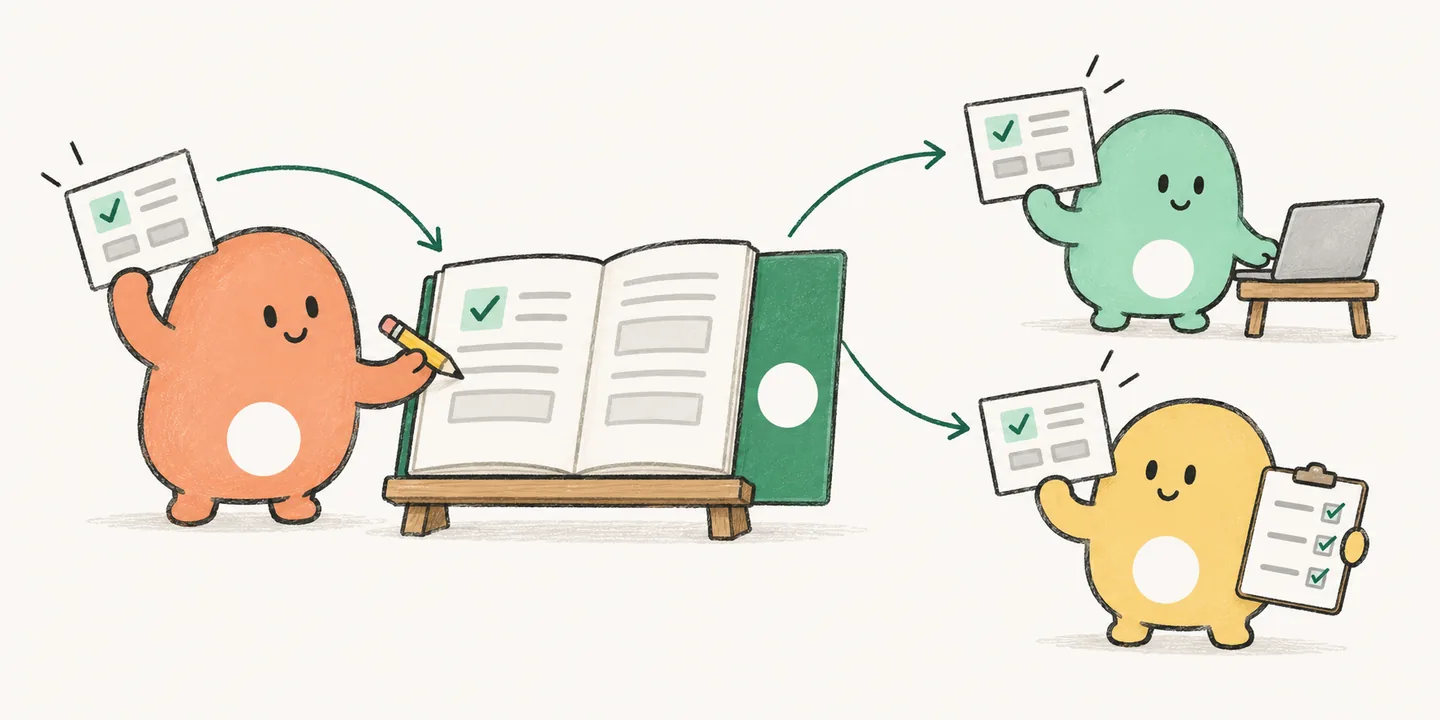
Review new PRs, investigate failing CI, or run a weekly maintenance task. Set the instructions and limits. Every run has a chat you can inspect.
Agents turn repeated steps into commands they can run again. A solved workflow becomes a reusable tool for the next task.
The project’s brain keeps conventions, debugging lessons, and reusable commands. Connected agent teams can pick up what another team has learned.
Every plan includes the platform and unlimited members. Credits pay for usage. One credit equals $1.
Start with a task from your backlog.
$20 / month
20 credits included monthly
More room for everyday work.
$100 / month
105 credits included monthly
For more tasks and parallel work.
$200+ / month
220+ credits included monthly
Plans are billed monthly per organization. Cancel any time. USD, applicable taxes extra.
Provider model cost + 10%. Connected personal plans and keys have no Lispa model-call charge; their own billing and limits apply.
Standard: 0.53 credits/hour while running. Larger sizes: 1.05 or 2.10 credits/hour. Machines stop when idle.
Charged by tokens at 20% of the session model’s rates, even with your own model plan. These are usage charges, not a share of savings.
$1 each, $5 minimum. Extra credits carry over; monthly plan credits reset. Auto top-up is off by default.
Connecting a subscription does not make cloud tasks free. Your plan’s credits cover Lispa usage; you can add credits when needed.
Give a cloud agent a separate task while you keep working in your editor. Use your existing plan, switch to cheaper models for routine work, and return to the diff and test output. Lispa adds cloud execution and model choice; it does not reduce the price of your existing subscription.
No. Lispa includes models you can use with your organization’s credits. Connecting your Claude or ChatGPT plan, or a provider API key, gives you more choices. Provider usage limits still apply.
Yes. Pick a model, switch mid-task, or turn routing off. Routing chooses among the models available to your workspace; it does not remove your control over the choice.
Cloud tasks run on Linux machines, using branches and worktrees of your repository. You can inspect the terminal, files, diff, and browser. Agents push or merge when you instruct them to; configure automations with the permissions and limits you want.
Lower-cost models can reduce metered model spend; your fixed subscription price stays the same. Your total also includes cloud machine time and Lispa services. The historical benchmark is one example, not a guaranteed saving. The chat’s savings display compares token costs at API rates; it does not measure subscription-bill savings.
No. Describe the work in plain language. Lispa agents can save reusable operations in Lisp, so future sessions can call them again. You can inspect and edit those operations.
Yes. Cancel from Billing at any time. Your organization keeps access through the paid month. Lite starts at $20 with 20 usage credits.
curl -fsSL https://lispa.ai/install.sh | shLispa is raising a pre-seed round. Founder Tedj Meabiou, based in Dubai, will send the deck and walk you through the product.
Bring a bug, a test gap, or a small feature.
Review the result and its cost before committing to more.
Create your account. Choose a plan. Connect your repo.
$20/month includes $20 in usage credits · Cancel any time